brightwheel – Early Learning Center
Brightwheel is our student management system for the Early Childhood Program (Infant – 3K). Here you will check your child in and out of our care, monitor their daily activity, receive notifications and messages from staff, and more.
LOGGING IN
💻 Log into brightwheel on the web: Web Portal
tools
▶️ Video Instructions: Notifications
▶️ Video Instructions: Messaging
▶️ Video Instructions: Billing Overview
CHECK IN/OUT

Skyward – Charter Program
Skyward is our student management system. Here you will manage attendance, pay school fees, manage your child’s hot lunch program, and more. As we increase our use of this tool, we will add additional instructions here.
Logging In
💻 Log into Skyward: Web Portal
▶️ Video Instructions: Logging into Skyward
The first screen you see will be your homepage dashboard. Feel free to customize the colors and/or remove tiles that you won’t need on your homepage. Click the tiles to access the different sections of the system.
Please note: Each child you have enrolled will have their own set of tiles on the home screen. You can access the roll-up of information using the top set of tiles, except for the Registration process. That will need to be completed for each child individually.


Registration
Each child you have enrolled will have their own set of tiles on the home screen. You will need to repeat this process for each child.
To register your child:
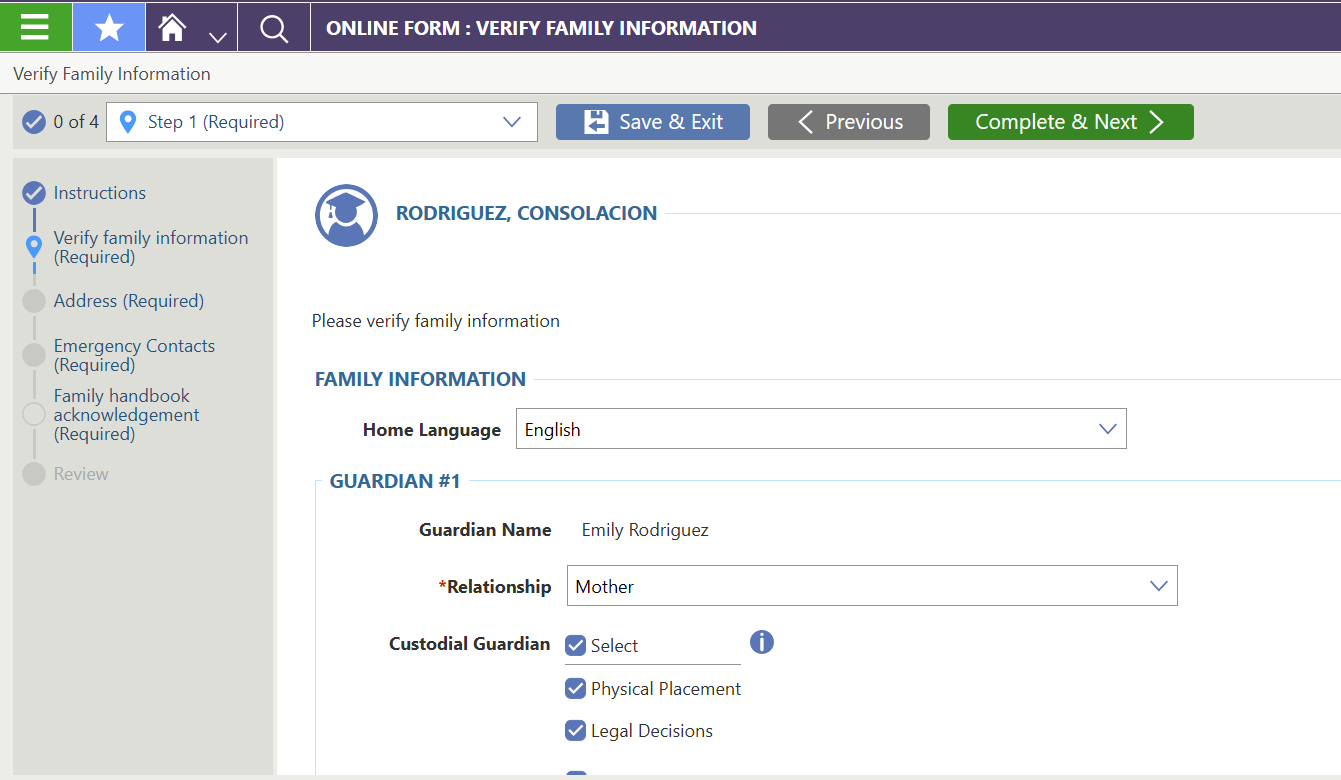
- Click the ’25-26 REGISTRATION tile on the home screen.
- Complete the following information:
- Verify family information: home language, guardians’ names and contact information, select the guardians who are allowed to pick up the student.
- Address: physical address and mailing address
- Emergency Contacts: names and contact information
- Family handbook acknowledgement: Please download and review the Family Handbook. You will need to provide a signature to confirm that you have reviewed the document.
Fees & Fee Payments
▶️ Video Instructions: Review and pay school fees
To review the fees and payments:
- Click the Fees & Fee Payments tile on the home screen
- All fees will be displayed under the Assigned Customer Fees.
- To review individual fees, click Make a Payment in the top right corner.
To make a payment:
- Click Make a Payment in the top right corner to pay via Revtrak
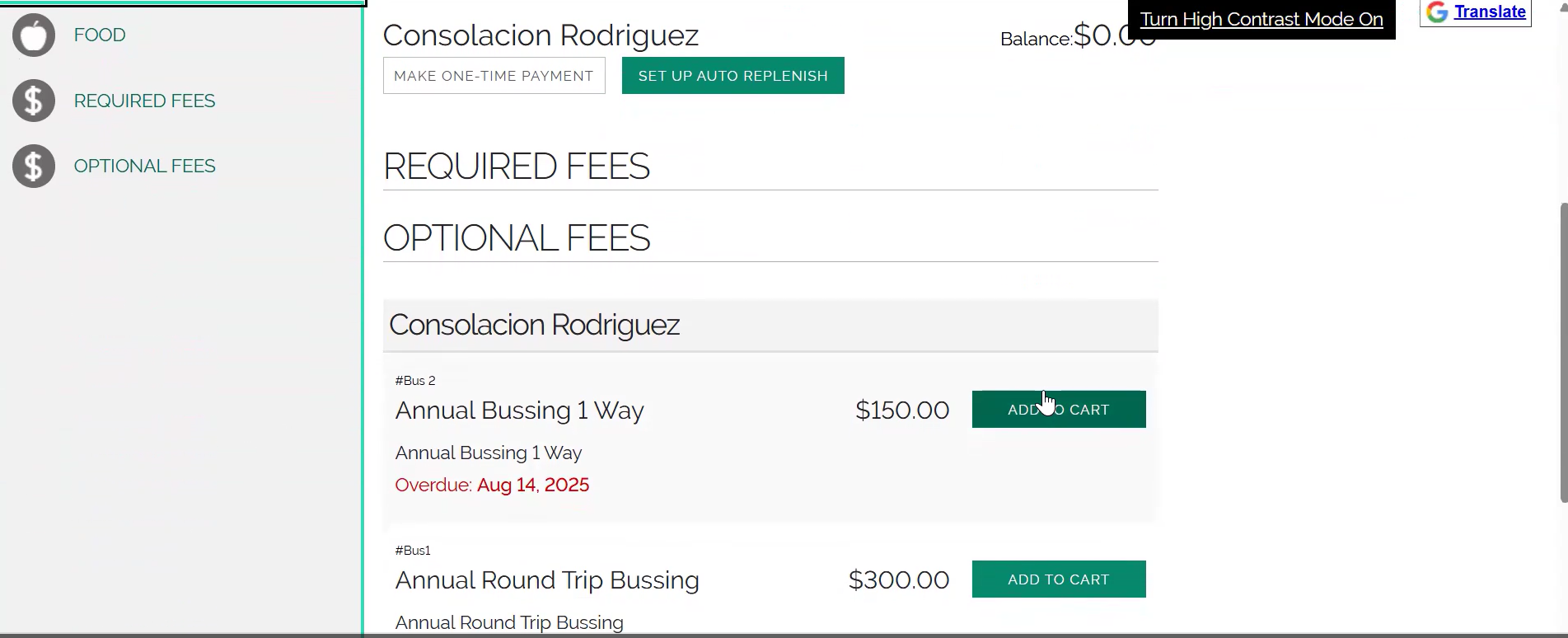
- Select the type of fee to review:
- Food: Hot Lunch Program
- Required Fees: Annual student fees
- Primary-Elementary = $85/student
- Secondary = $100/student
- Optional Fees: Busing and Wrap Around Care fees
- Click Add to Cart for the items you wish to pay for
- Click Checkout
- Pay via your preferred method. If paying by cash or check, note the amount due (less the software fee) and deliver your payment to the Main Office.